Download Exif Forge
Free to download on every desktop platform during the open beta — every feature unlocked, no account required.
Free during the beta — no account, no card. What happens when it ends?
Exif Forge runs on Windows, macOS and Linux — send yourself the link so it's ready when you're back at your desk.
exifforge.com/download
Or use a download button below — the installer link works when you open it on your computer.
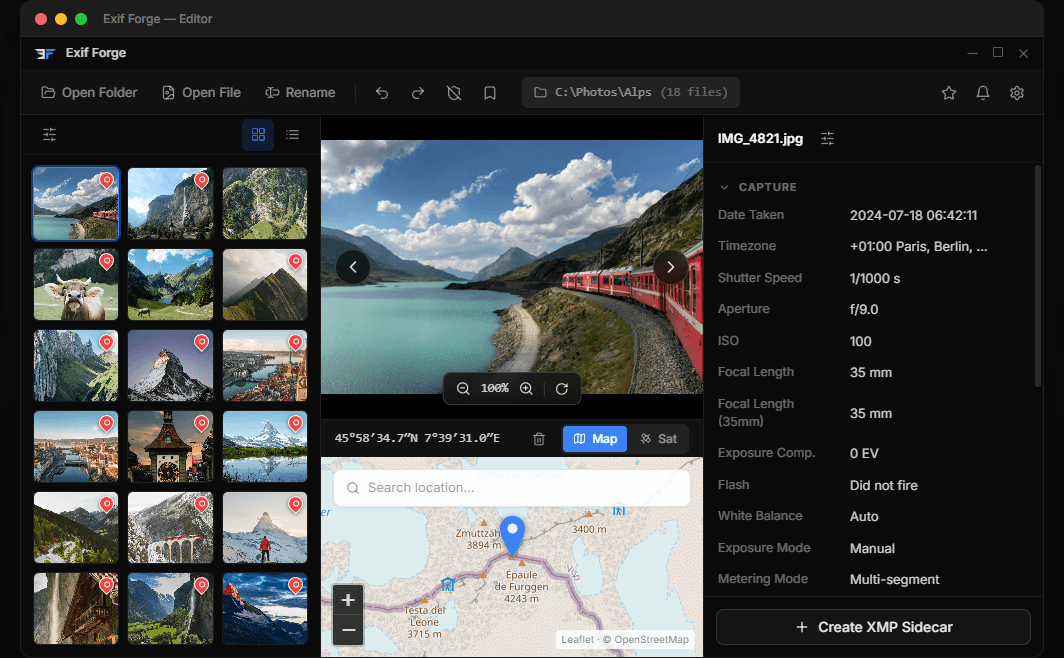
We are not responsible for copies of this software distributed through third-party sources. Only downloads obtained directly from this website are official and verified.
Windows and macOS may show a security warning the first time you open Exif Forge. This is expected — Exif Forge is an independent hobby project and does not have a paid code-signing certificate (they cost several hundred dollars per year). The app is safe: it is built with open-source tools, runs entirely offline, and never modifies your original files without your explicit approval.
- 1.Run the installer — a blue “Windows protected your PC” dialog appears.
- 2.Click More info.
- 3.Click Run anyway. Installation continues normally.
- 1.Open the .dmg and drag the app to Applications as usual.
- 2.On first launch macOS says the app “cannot be verified”. Click Done.
- 3.Go to System Settings → Privacy & Security, scroll down, and click Open Anyway.
- 4.Confirm in the next dialog. The app opens and the warning will not appear again.